 Centro de ayuda
Vehicle mileage
You want to edit or enter the mileage of a vehicle. Here's how:
- In the back-end menu, go to Inventory › Inventory Manager
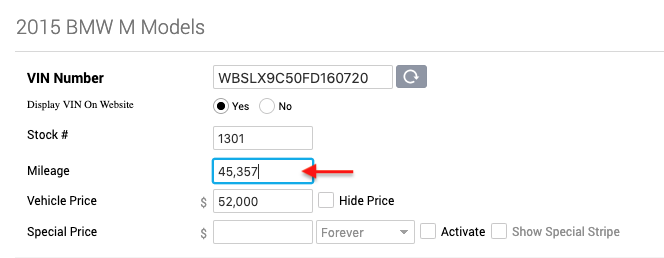
- Select the desired vehicle and go to General › Mileage
- Enter the current mileage of the vehicle.
- Click the Save Changes button on the bottom left.
|
|
Make sure that the mileage is consistent with any images of the vehicle's odometer.
You can only edit vehicle mileage in the Edit Vehicle page. |
