 Centro de ayuda
Vehicle expenses
Adding expenses to vehicles is easy. Here's how:
- In the back-end menu, go to Inventory › Inventory Manager
- Select the desired vehicle and go to Expenses
- Enter the Date, Expense Memo and Amount.
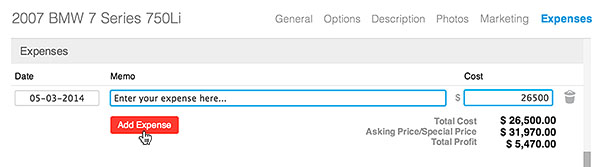
- Click the Add Expense button.
|
|
You can also add expenses to vehicles by going to your back-end menu › Finances.
|
