 Centro de ayuda
Managing Email folders
To create, rename or delete Email folders, follow the steps:
How to create a new Email folder:
- In the back-end menu, go to Mail.
- On the left submenu, click Create new folder.
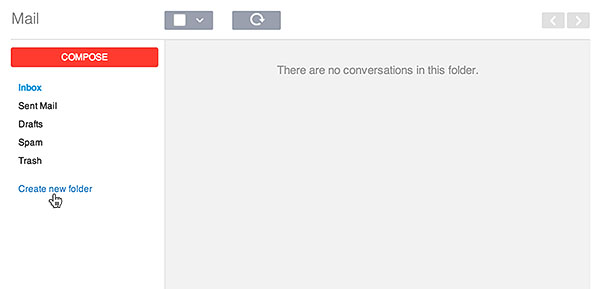
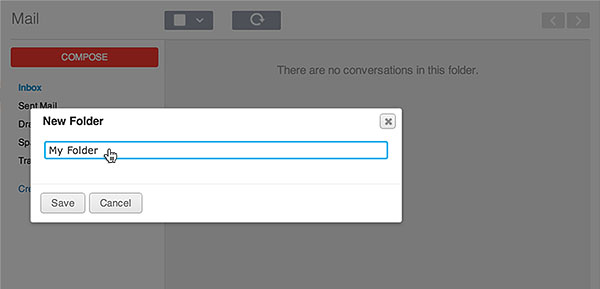
- Enter the new folder name.
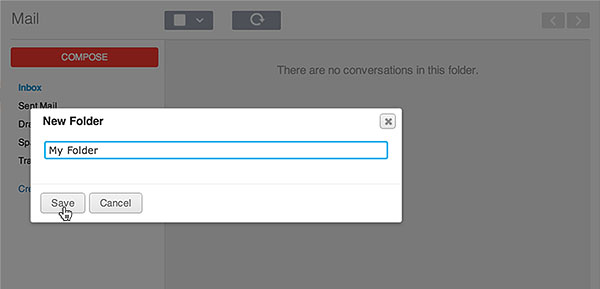
- Click Save.
How to rename an Email folder:
- In the back-end menu, go to Mail.
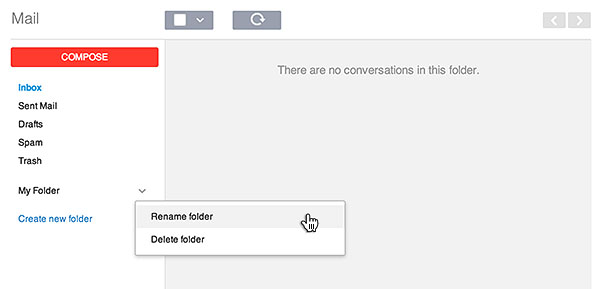
- On the left submenu, hover over the dropdown arrow to the right of the folder.
- Click on Rename Folder.
- Enter the new folder name.
- Click Save.
How to delete an Email folder:
- In the back-end menu, go to Mail.
- On the left submenu, hover over the drop-down arrow to the right of the folder.
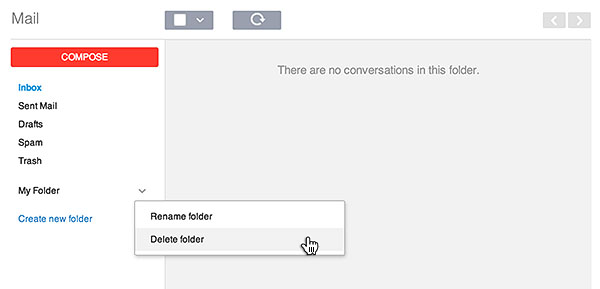
- Click on Delete Folder.
|
|
Deleting an Email folder is permanent and cannot be undone.
The Emails within the folder will not be deleted. You can find them in your inbox. |
