 Centro de ayuda
Move Emails to a folder
To move Emails to a folder, follow the steps:
- In the back-end menu, go to Mail.
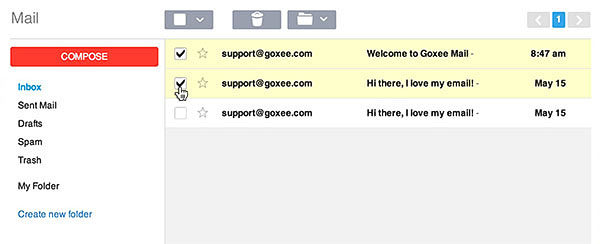
- Select the Email(s) to move to a folder.
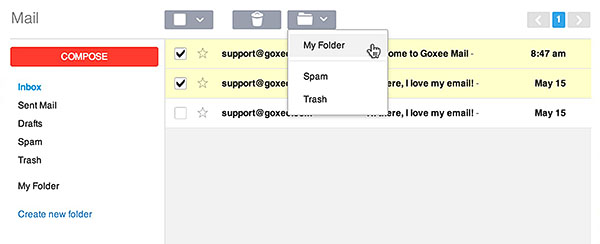
- In the folder drop-down button, select the folder to move the Email(s) to.
|
|
Moving Emails to folders can help you stay organized in your inbox.
|
