Centro de ayuda
Custom Sources
In the back-end menu, go to CRM › Leads, then click on Settings.

There you will see the Custom Sources bar with the option to Add Custom Source. When you click on it it will ask you to add a new custom source.

There you will see the Custom Sources bar with the option to Add Custom Source. When you click on it it will ask you to add a new custom source.
If you enter for an example “Billboard”, click on blue Add and you will have the option to use it when you are selecting your lead source.
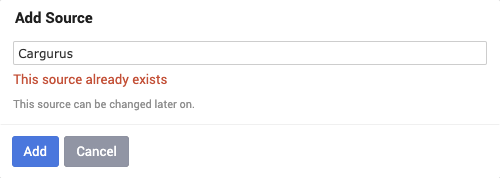
Most of the sources are already entered but if you want to add new ones you can. You can’t duplicate sources, because if you try to add a source that’s already entered, it will notify you that the source already exists.