 Centro de ayuda
CRM Messenger
The messenger in the CRM workspace is where you communicate with any lead, using any method.
Below, we'll guide you on how the messenger works as well as how to set up each method.
How the messenger works:
Imagine having Text Messaging, WhatsApp, Facebook Messenger, Instagram Messenger and Emails - all in one thread. That's exactly what our messenger does.
It enables you to to communicate with your leads, with different methods - from one place. So in other words, if a lead messages you through any of those channels, it will show up in your messenger.
The CRM messenger currently supports the following methods:
- Text Messages
- Facebook Messenger
- Instagram Messenger
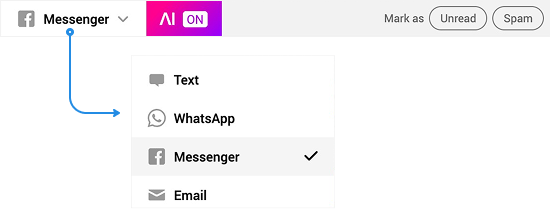
To send a message, select your method and enter your message in the message box below. 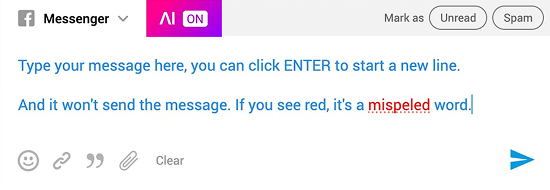
When responding to a lead from the messenger, it will send the message FROM and TO the channel they messaged you from.
Below the message field, you can also add the following:
 |
How Text Messages Work |
Text messages become available as long as there is at least one phone number in your Goxee Phone System.
For inbound leads, when a customer texts you from that number - the CRM will automatically respond from the same phone number.
