 Centro de ayuda
How to disable/enable or remove campaigns?
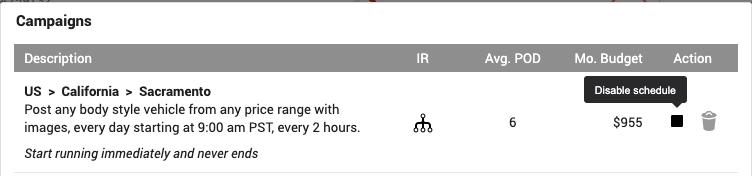
If you want to pause a certain campaign just go to Marketing > Craigslist Poster and click on the purple Campaigns at the top and a new window will pop up. If you just want to disable it temporarily click on the pause button that says Disable Schedule.
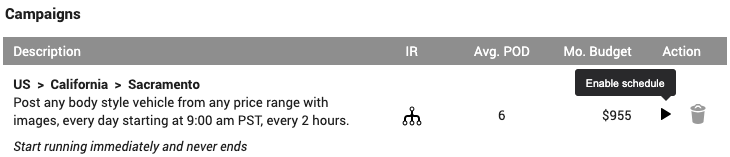
Reactivating it is simple, just repeat the steps and instead of the Disable Schedule, you will have a play button that says Enable Schedule.
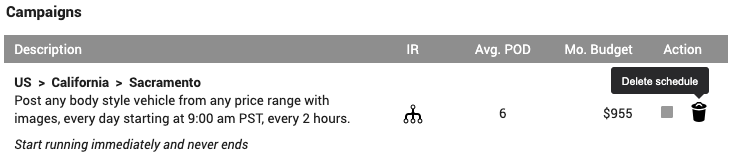
If you want to remove it completely just click on the trash can button that says Delete Schedule.
Reactivating it is simple, just repeat the steps and instead of the Disable Schedule, you will have a play button that says Enable Schedule.
If you want to remove it completely just click on the trash can button that says Delete Schedule.
