 Centro de ayuda
Alternative email
Adding an alternative email is an additional security feature.
To add, edit, or update your alternate email, follow these steps:
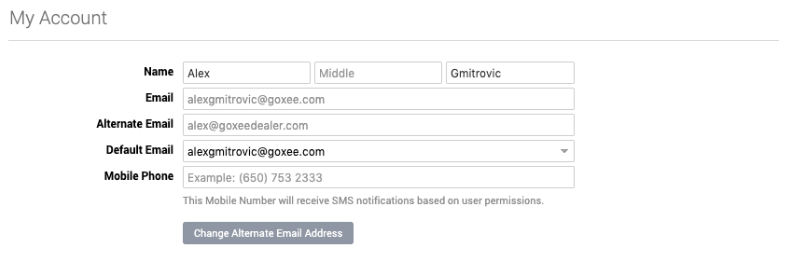
- In the upper right corner, click on your Name › My Account.
- Click on Change Alternate Email Address
- Enter your Account Password and your New Alternate Email
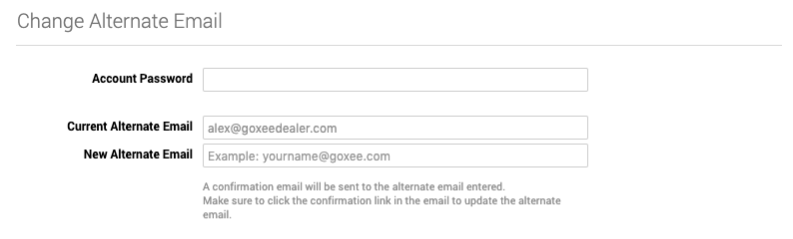
- Click the Save Changes button on the bottom left.
