 Centro de ayuda
Feature vehicle
Featuring a vehicle from the inventory manager:
- In the back-end menu, go to Inventory › Inventory Manager.
- Check the Feature row and mark the checkbox of the vehicle you want to Feature on the Home Page.
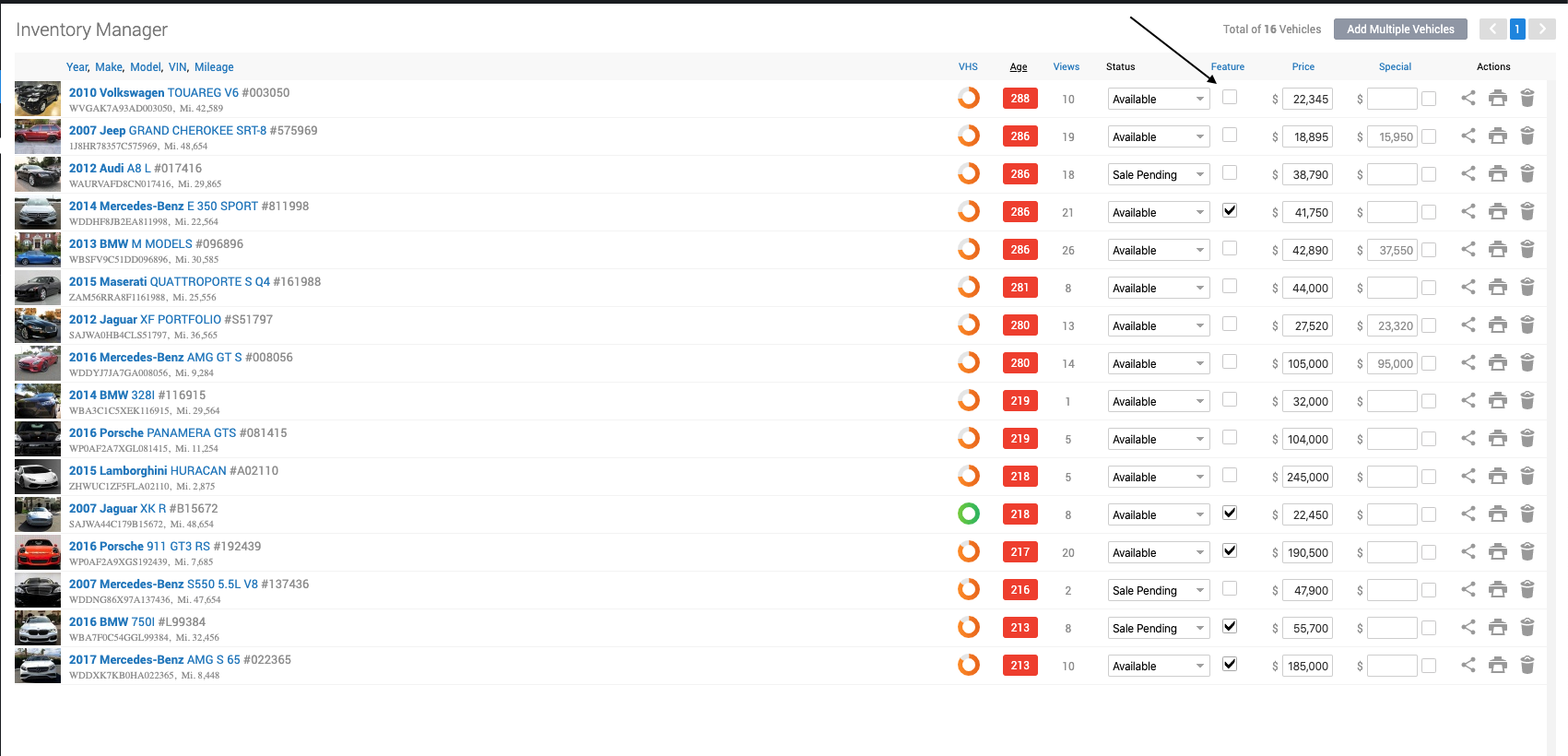
- Click Save Changes on the bottom left.
Featuring a vehicle from the Vehicle Edit page:
- Click on the vehicle that you want to edit and go to Marketing
- Mark the Feature checkbox.

- Click the Save Changes button on the bottom left.
|
|
Remember to save changes before leaving the inventory manager or your changes will be discarded.
|
