 Centro de ayuda
Homepage listings
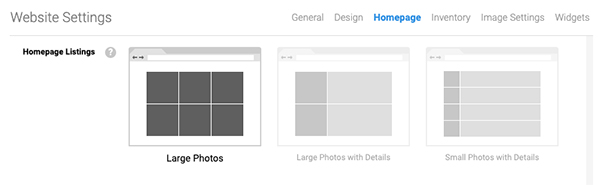
Select how the featured vehicles display on the homepage. Here's how:
- In the back-end menu, go to Website › Settings › Homepage › Homepage Listings.
- Select a Homepage Listing layout from the available options.
- Click the Save Changes button on the bottom left.
|
|
We recommend not listing too many featured vehicles since the visitors might think that it shows all of your inventory.
These changes will apply only to the homepage. |
