 Help Center
Delete vehicle
Deleting a vehicle from the Inventory Manager:
-
In the back-end menu, go to Inventory › Inventory Manager.
-
On the far right row of the vehicle, click the 'Trash' icon.
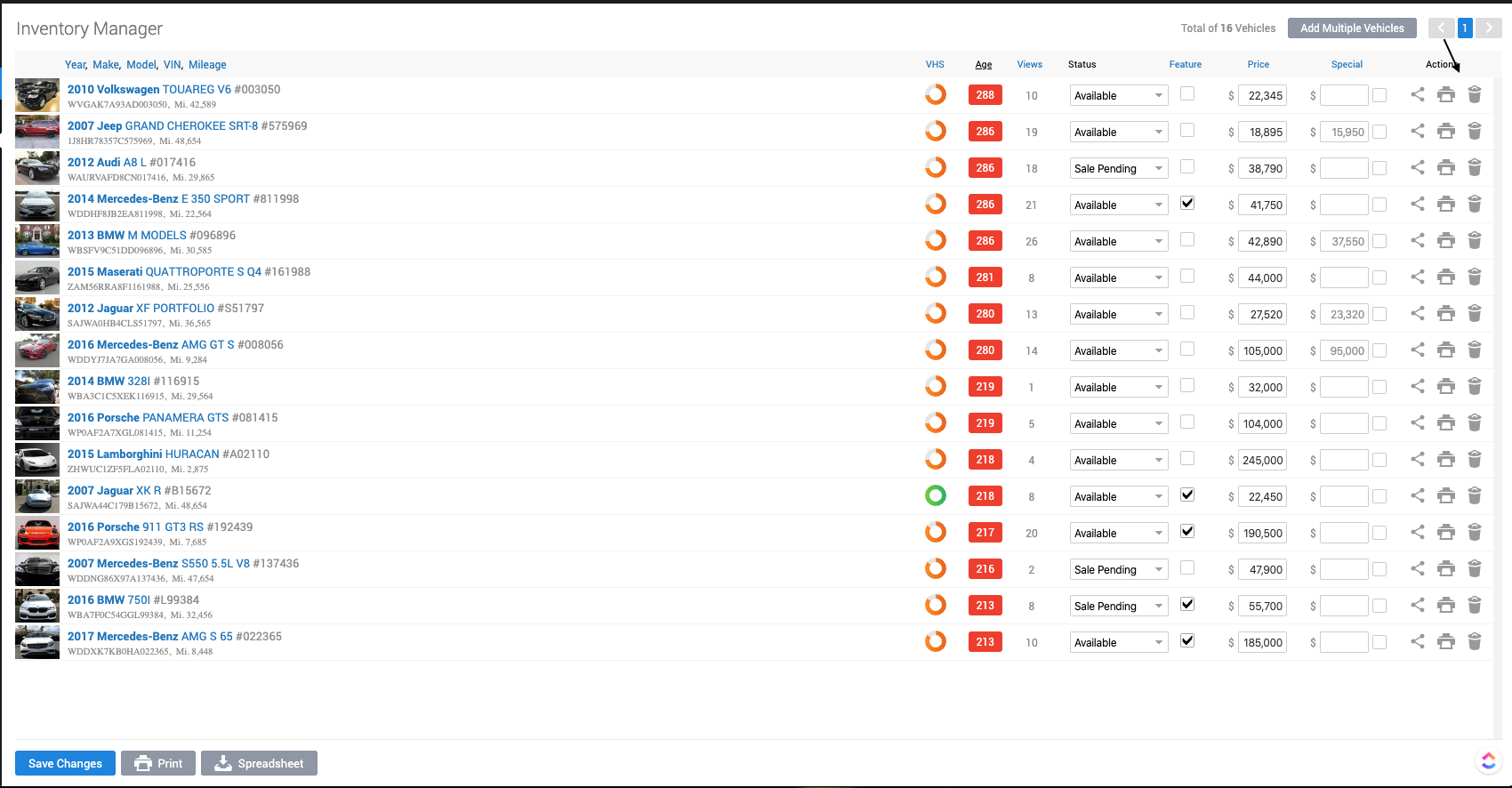
-
Confirm the deletion in the pop-up window.
Deleting a vehicle from the Edit Vehicle Page.
-
In the back-end menu, go to Inventory > Inventory Manager.
-
Click on the vehicle you want to remove.
-
Click on Delete Vehicle in the bottom right of the page.
|
|
If you are uncertain about deleting a vehicle, consider Unpublishing it until you decide.
Deleting multiple vehicles is currently not allowed to prevent accidental data loss. |
