 Help Center
Setting up your SEO - Beta
Setting up the basic SEO (Search Engine Optimization) for your website is easy. Here's how:
Website Title:
- In the back-end menu, go to Website › Settings › Title.
- To change the Title Default, select Custom.
- Enter a Title between 50 to 60 characters.
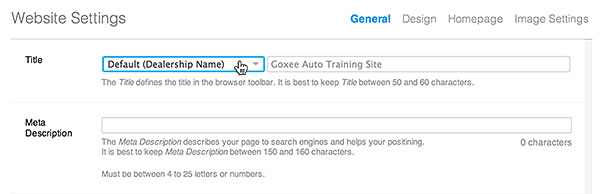
The Title you enter above will appear as the website title on search engines and the browser toolbar.
Meta Description:
- In the back-end menu, go to Website › Settings › Meta Description.
- Enter a Meta Description between 150 to 160 characters
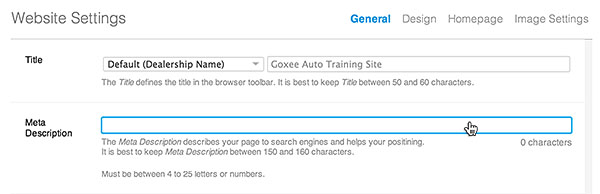
The Meta Descriptions you enter above will describe your website to search engines.
It will appear on underneath the title on search engine results.
|
|
Entering a relevant Title and Meta Description is beneficial to converting prospects to site visitors.
|
