 Help Center
Setting up Mail on Android device
To setup your personal mailbox on your Android device, follow the steps:
- Open the "Email" app on your phone.
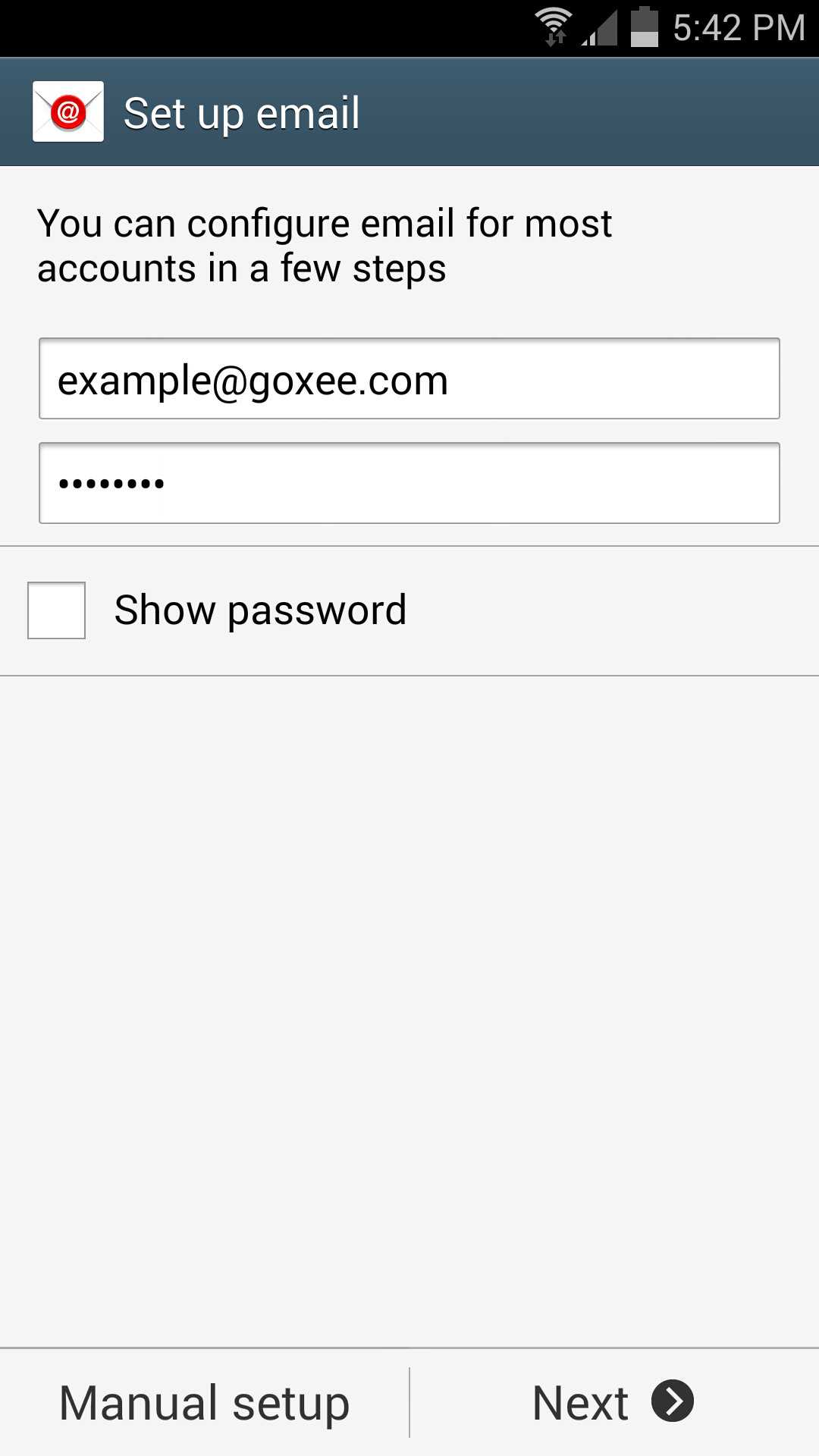
- Type your email address and the password:
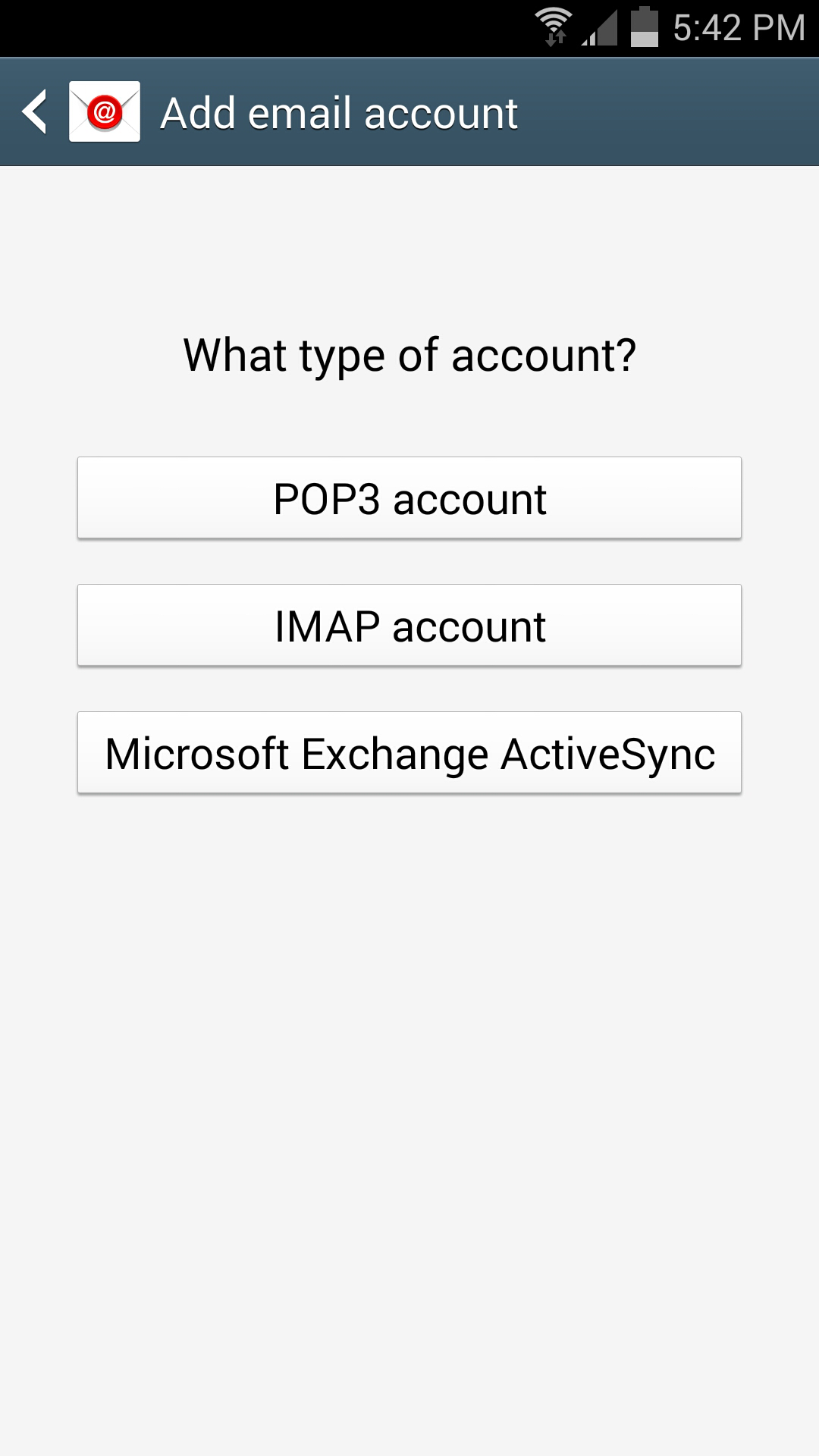
- Select "IMAP account" under type of account:
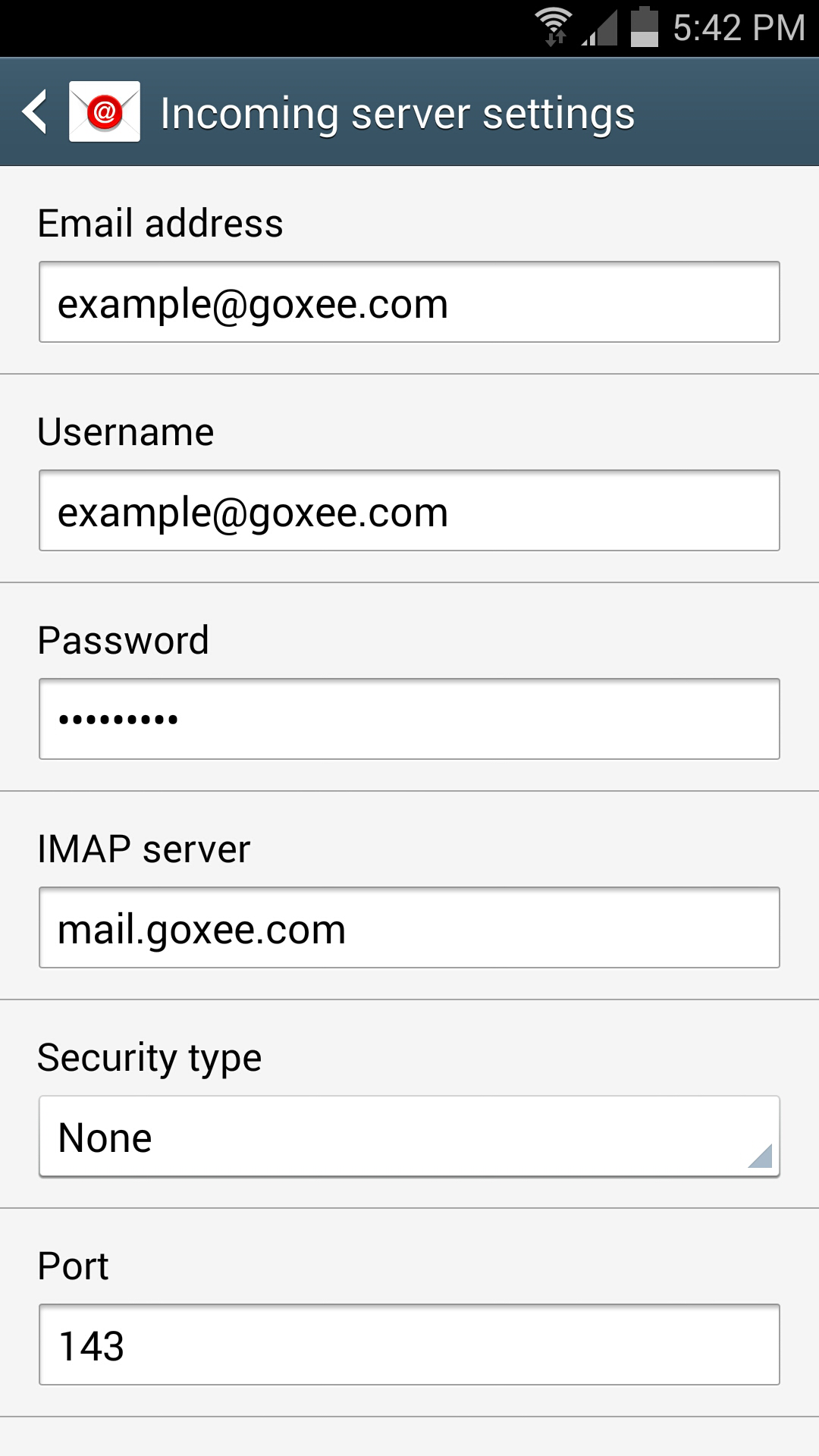
- Fill in all the Incoming server settings like the picture below:
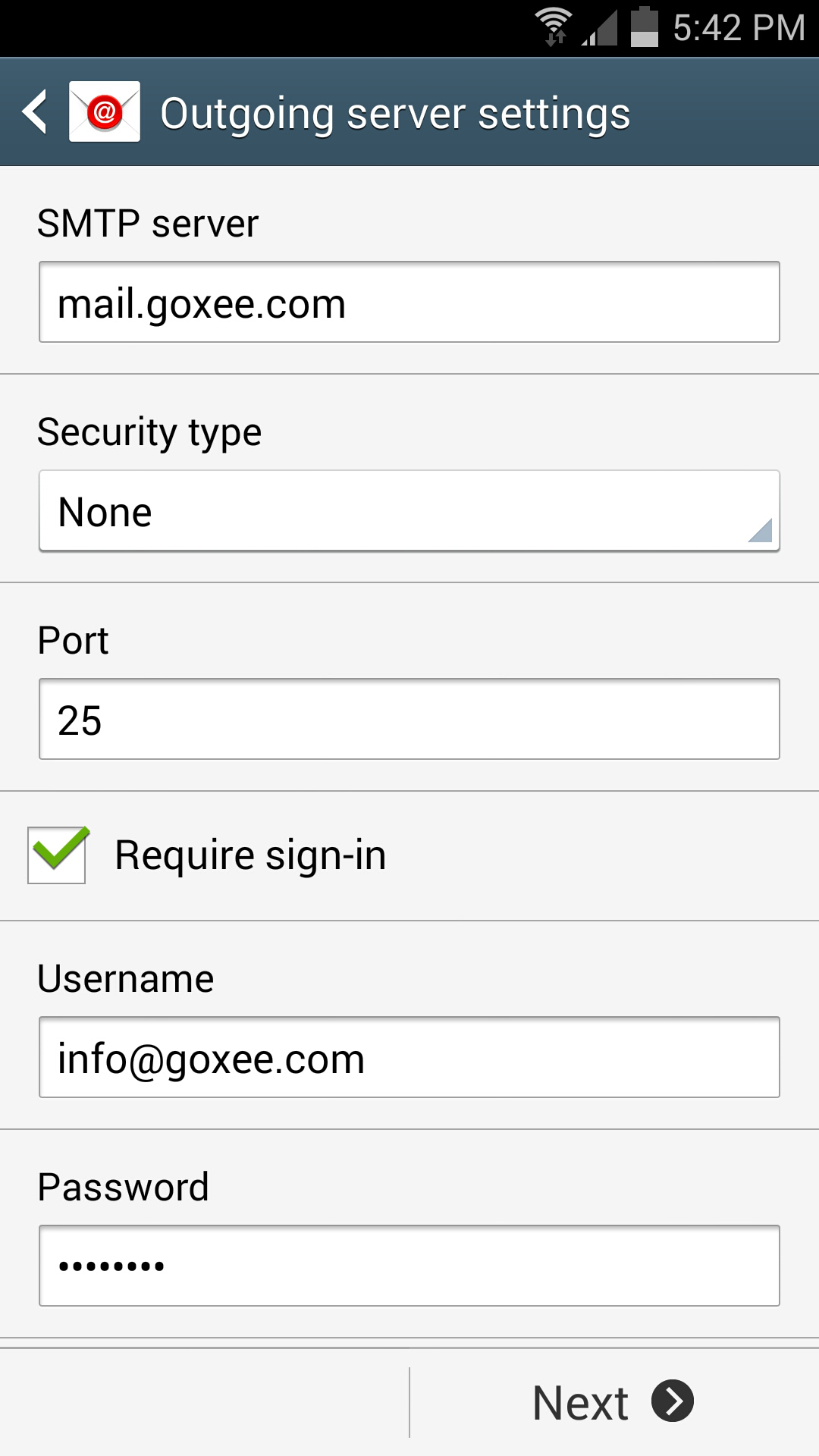
- Fill in all the Outgoing server settings like the picture below:
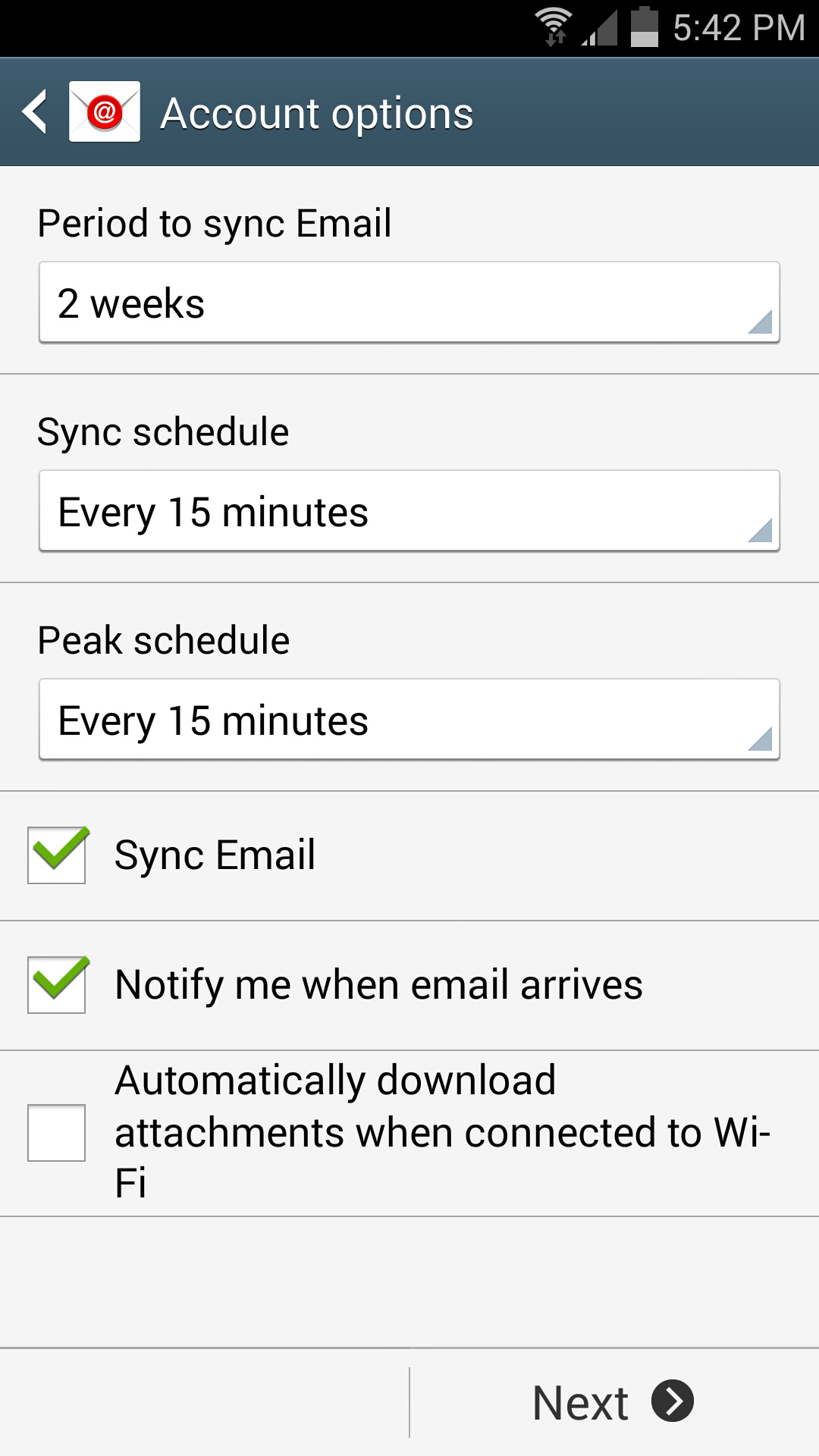
- Choose your Account options:
- Choose your name:
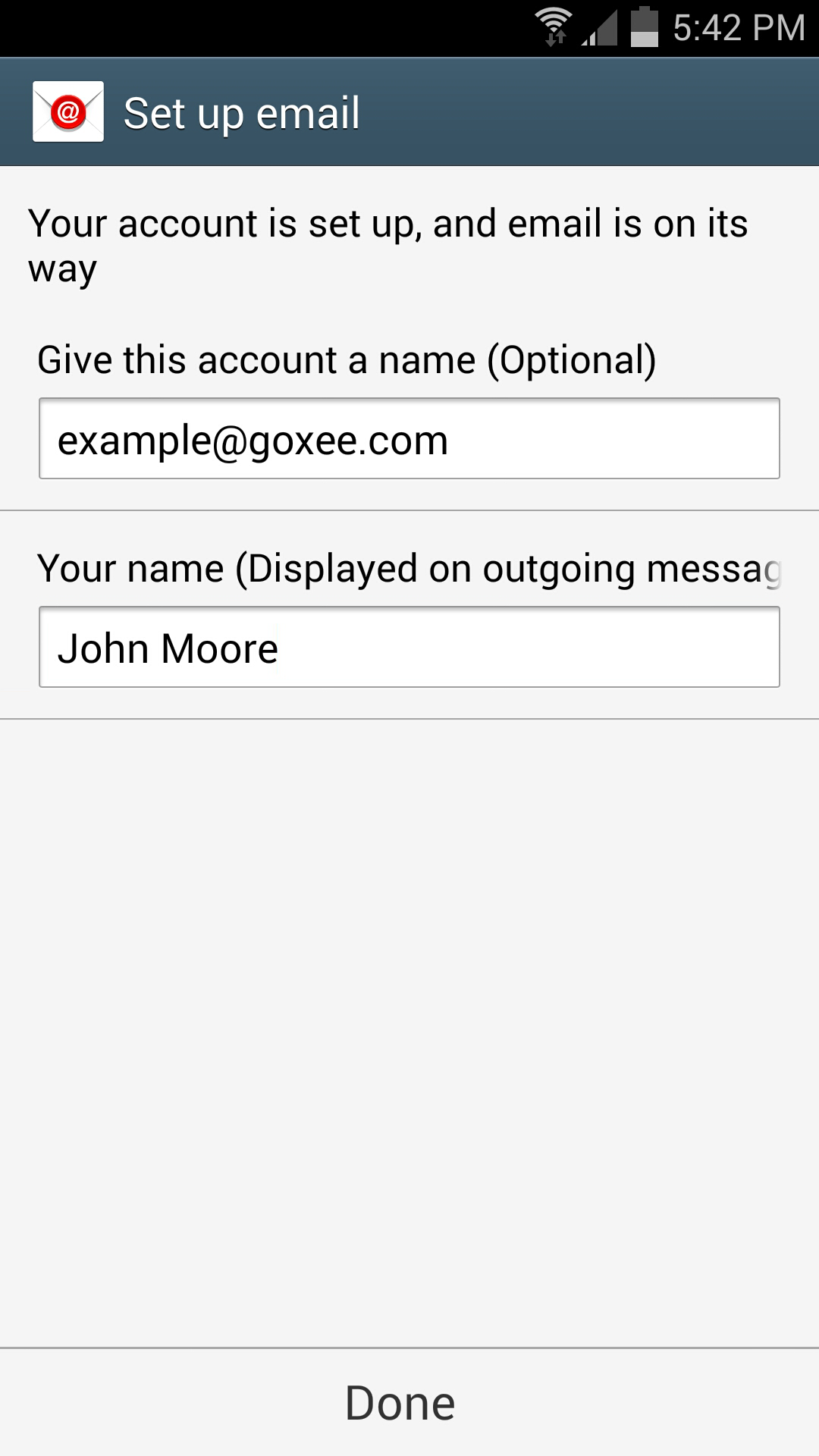
- That's it!, now you can receive emails directly from your Android.
|
|
Our outgoing servers listen to the ports 578 and 25.
|
