 Help Center
CRM Templates
If you want to add templates so you can use them when you send texts and emails from the CRM you can do that by going to CRM and at the top right click on the Settings / Gear Icon

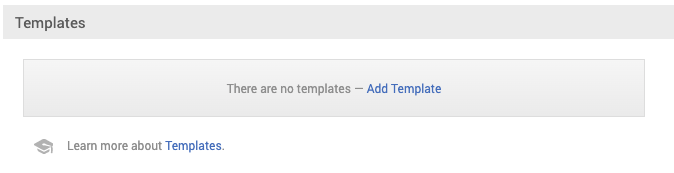
If you scroll down, the third from the bottom will be the Templates option. All you have to do is click on Add Template and a new window will pop up
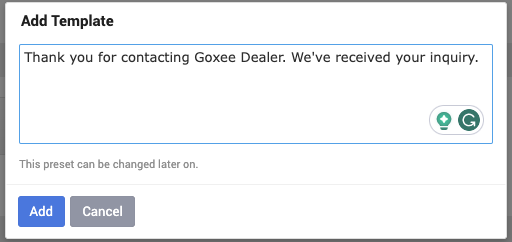
Then you can type your message, and click on Add
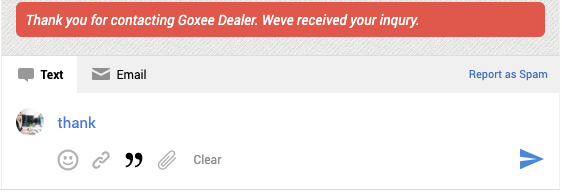
Once your template is ready all you have to do is open the lead you want to respond to, click on the icon start typing the message and your template will pop up so you can select it.
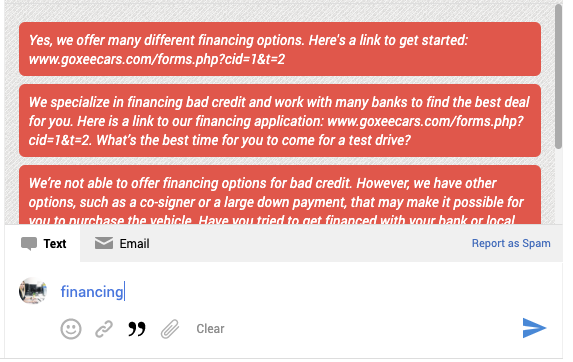
We also already have some presets in the system, for example, if you type in financing, different responses regarding that will pop up for you to choose from.
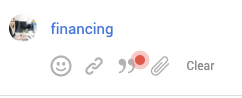
When you start typing something if the icon has a red dot it means there are some templates related to the message you are writing.
If you scroll down, the third from the bottom will be the Templates option. All you have to do is click on Add Template and a new window will pop up
Then you can type your message, and click on Add
Once your template is ready all you have to do is open the lead you want to respond to, click on the
icon start typing the message and your template will pop up so you can select it.We also already have some presets in the system, for example, if you type in financing, different responses regarding that will pop up for you to choose from.
When you start typing something if the icon
has a red dot it means there are some templates related to the message you are writing.