 Help Center
How to block numbers?
If you want to stop receiving calls and texts from a certain number, there are 2 ways you can block the number.
The first option is to go to Admin > Phone and click on Settings at the top.
A new window will pop up and you'll see the Blocking option
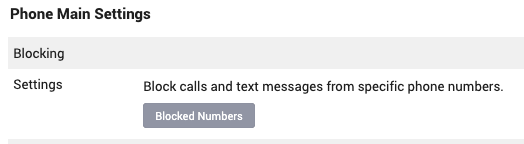
Click on Blocked Numbers and you can type in the numbers you want to block like it's shown in the picture
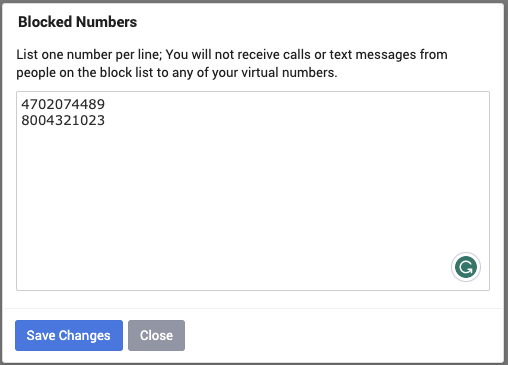
Once you are done click on Save Changes.
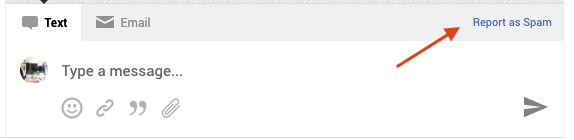
The second option is through CRM. When you click on CRM, click on the lead with the number you want to block, and in the bottom of the Messanger you have the Report as Spam option, just click on it and it's done
The first option is to go to Admin > Phone and click on Settings at the top.
A new window will pop up and you'll see the Blocking option
Click on Blocked Numbers and you can type in the numbers you want to block like it's shown in the picture
Once you are done click on Save Changes.
The second option is through CRM. When you click on CRM, click on the lead with the number you want to block, and in the bottom of the Messanger you have the Report as Spam option, just click on it and it's done
