 Help Center
Upgrading Phone Plan
If you want to upgrade your phone plan because you either need more phone lines or more minutes and texts you can do that by going to Admin > Phone and clicking at the top on Upgrade Plan
That will redirect you to a new page where you can select a new plan
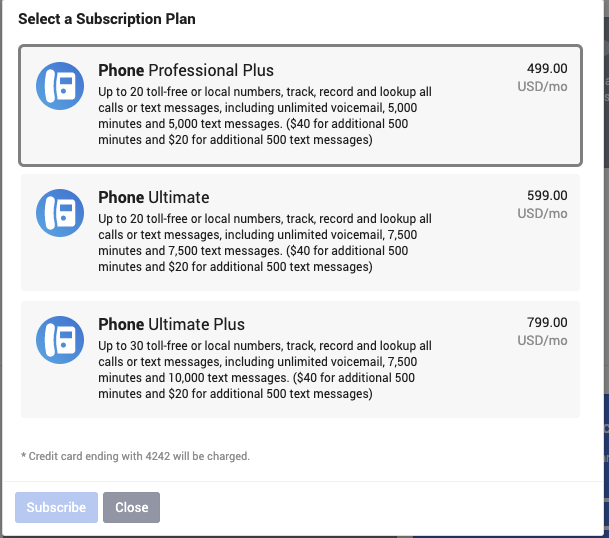
Once you select the desired plan, click on Subscribe in the bottom left.
You can also access this window by going to Marketing > Integrations and under Phone click on Upgrade

That will redirect you to a new page where you can select a new plan
Once you select the desired plan, click on Subscribe in the bottom left.
You can also access this window by going to Marketing > Integrations and under Phone click on Upgrade
