 Help Center
Vehicle views
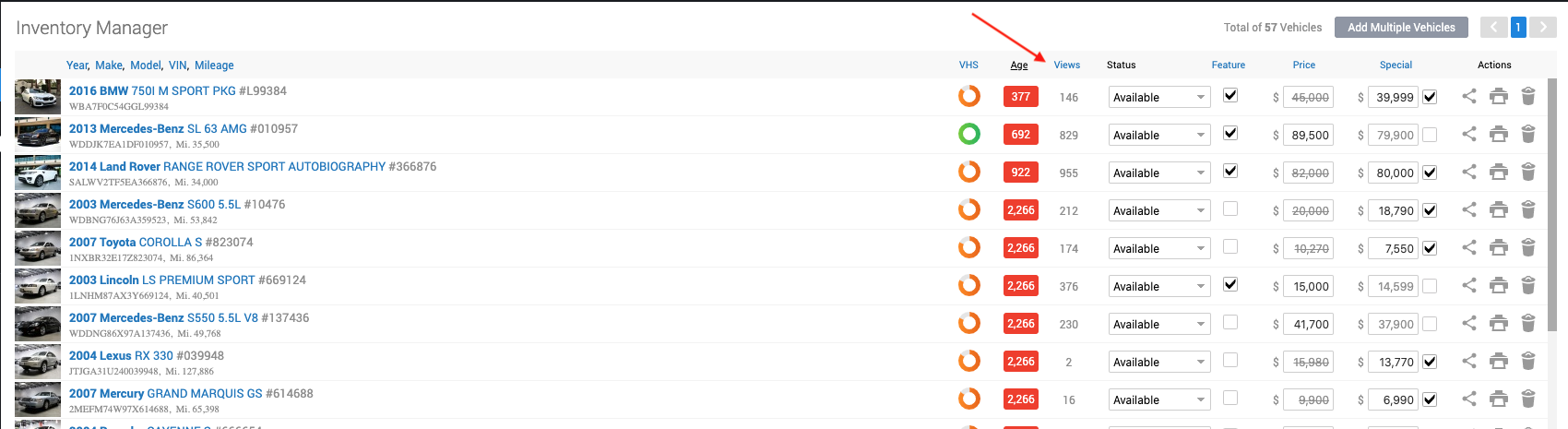
To view the vehicle views, go to:
- In the back-end menu, go to Inventory › Inventory Manager.
- Vehicle Views will be displayed in the Views column.
|
|
Vehicle Views are an accurate indicator of how popular that vehicle is.
|
To view the vehicle views, go to:
|
|
Vehicle Views are an accurate indicator of how popular that vehicle is.
|
Our support team can help you find your next step.
Contact support(650) 753-2333