 Help Center
Vehicle price
Entering and changing a vehicle's price is simple. Here's how
- In the back-end menu, go to Inventory › Inventory Manager
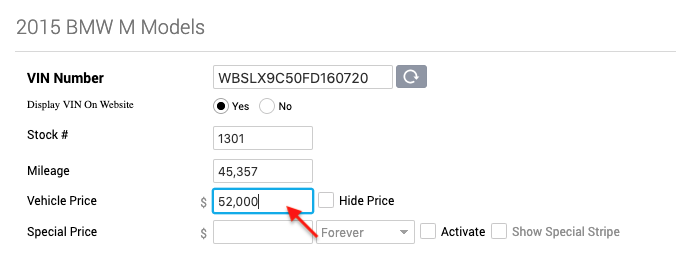
- Select the desired vehicle and go to General › Price
- Enter the Price. You can also hide the price by selecting the box next to the Price saying Hide Price.
- Click the Save Changes button on the bottom left.
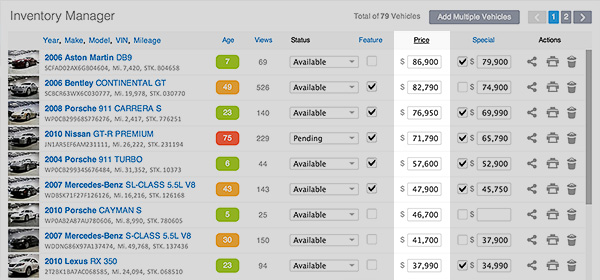
You can also change the vehicle's price from the Inventory Manager.
- In the back-end menu, go to Inventory › Inventory Manager › Price column.
- Enter the Price.
- Click the Save Changes button on the bottom left.
|
|
Your vehicle price will automatically feed your Third Party vendors.
|
