 Help Center
Vehicle title status
Entering the vehicle title status is easy. Here's how:
- In the back-end menu, go to Inventory › Inventory Manager
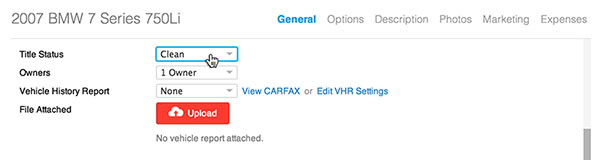
- Select the desired vehicle and go to General › Title Status
- Select the Title Status of the vehicle.
- Click the Save Changes button on the bottom left.
|
|
If you have an active account with a VHR (Vehicle History Report) provider, the Title Status section will populate when the VIN is decoded.
In order to maintain consumer confidence, make sure that the Title Status information is accurate if inputting it manually and can be verified. Select from a Clean, Salvage or Branded title. |

 The Goxee newsletter
