 Help Center
Special price
Place a vehicle on sale by entering a special price in the special pricing field. Here's how:
- In the back-end menu, go to Inventory › Inventory Manager.
- Enter the special price in the Special Column.
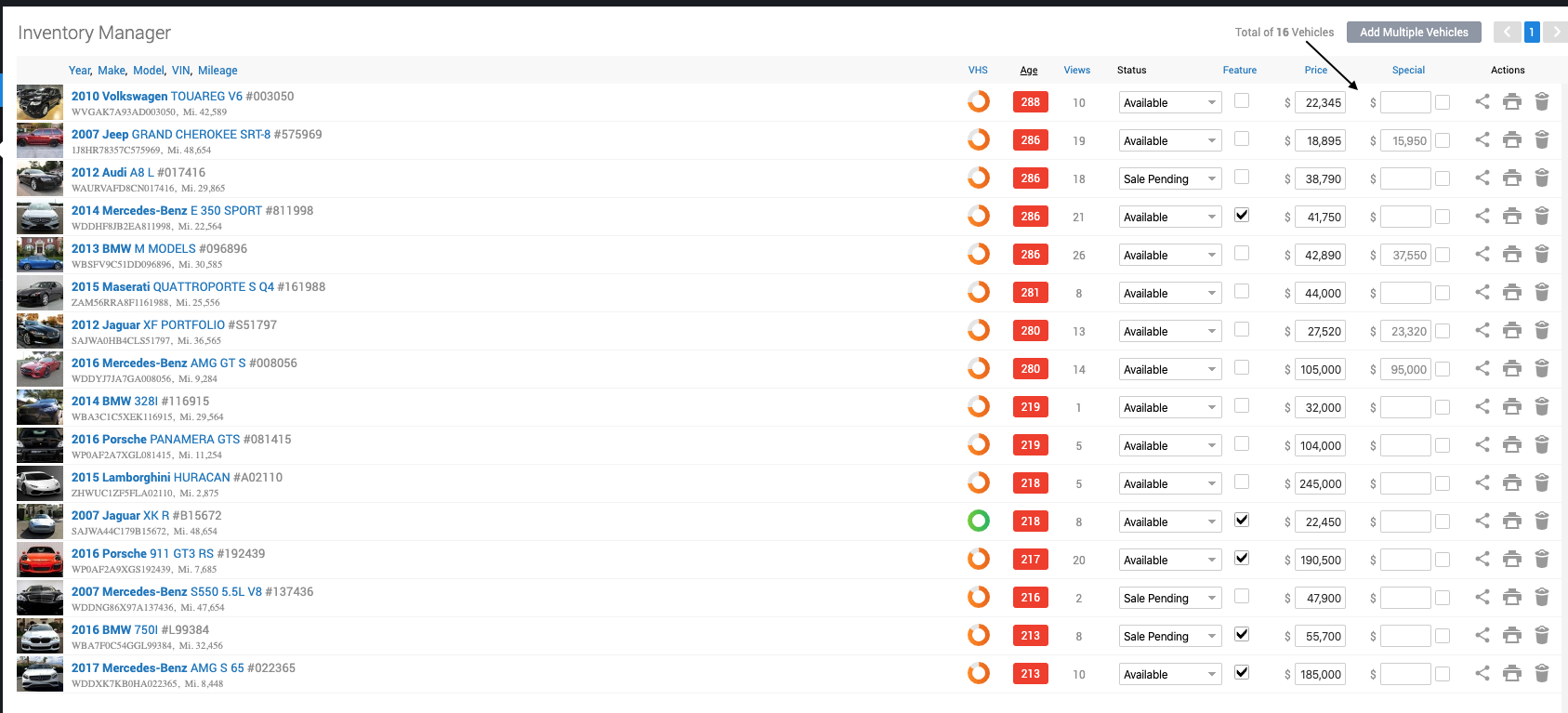
- Click 'Save Changes' on the bottom left.
Entering a special price from the Edit-Vehicle page:
- Go to the Edit Vehicle Page › Special Price › Activate Checkbox.

You can choose to show the special price Forever or for Limited Time

- If you chose to show it for limited time a window with the calendar will pop up so you can choose how long would you like the special price to last ( with choosing the Limited Time a timer will be shown on your vehicle, you can choose the style of your clock by going to Website › Settings › Inventory › S-P Clock Style )

- Or you can choose to show the orange stripe that says SPECIAL buy selecting Show Special Stripe

- Click 'Save Changes' on the bottom left.
|
|
Checking or Un-checking the 'Activate' checkbox with enable or disable the price special on the vehicle.
|

 The Goxee newsletter
