Help Center
Verified domains
Once the domain is pointed to the Goxee IP address you need to verify it on the Goxee Account. Here's how:
In the back-end menu, go to Admin › Management › Domains.
Click on red Verify Domain 
Populate your domain, for example: goxee.com and click on blue Verify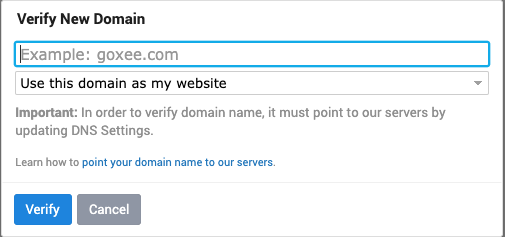
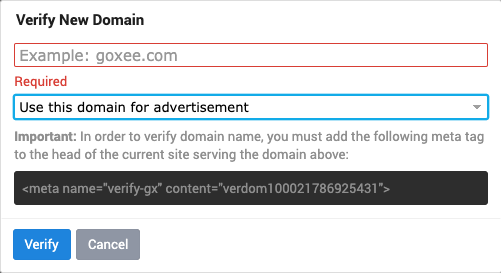
If your main domain is not pointed to Goxee website, but you want it to be included in the listing sites as well as in your signature click on the drop-down menu and select - Use this domain for advertisement