 Help Center
Edit a page
Editing Page Content is easy. Here's how:
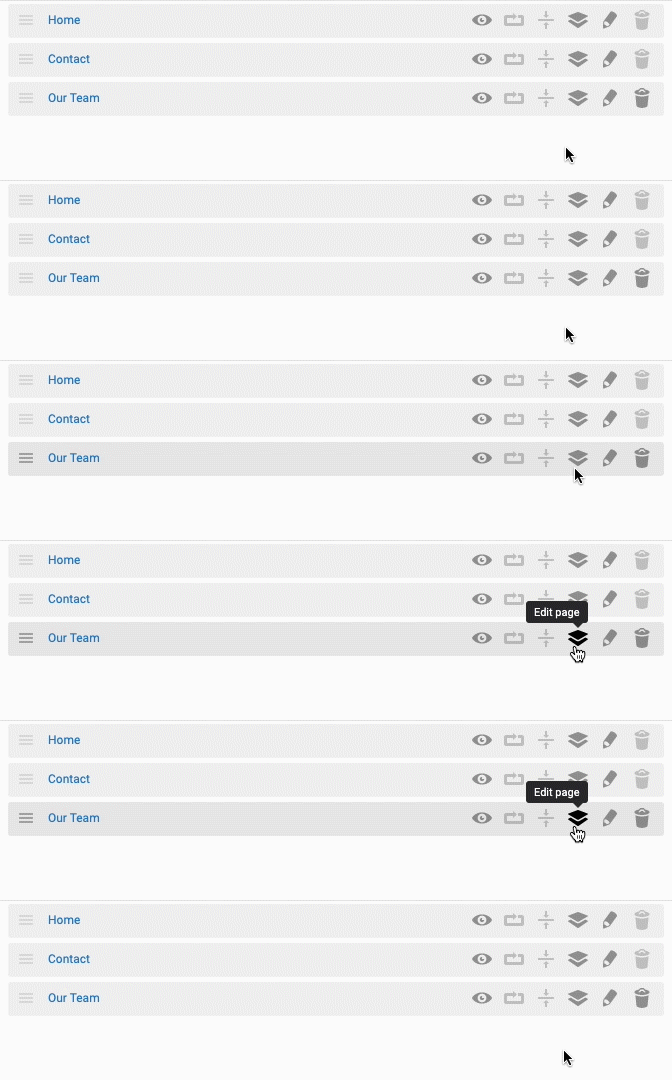
- In the back-end menu, go to Website › Pages.
- On the far right of the page row, click on the Layers icon.
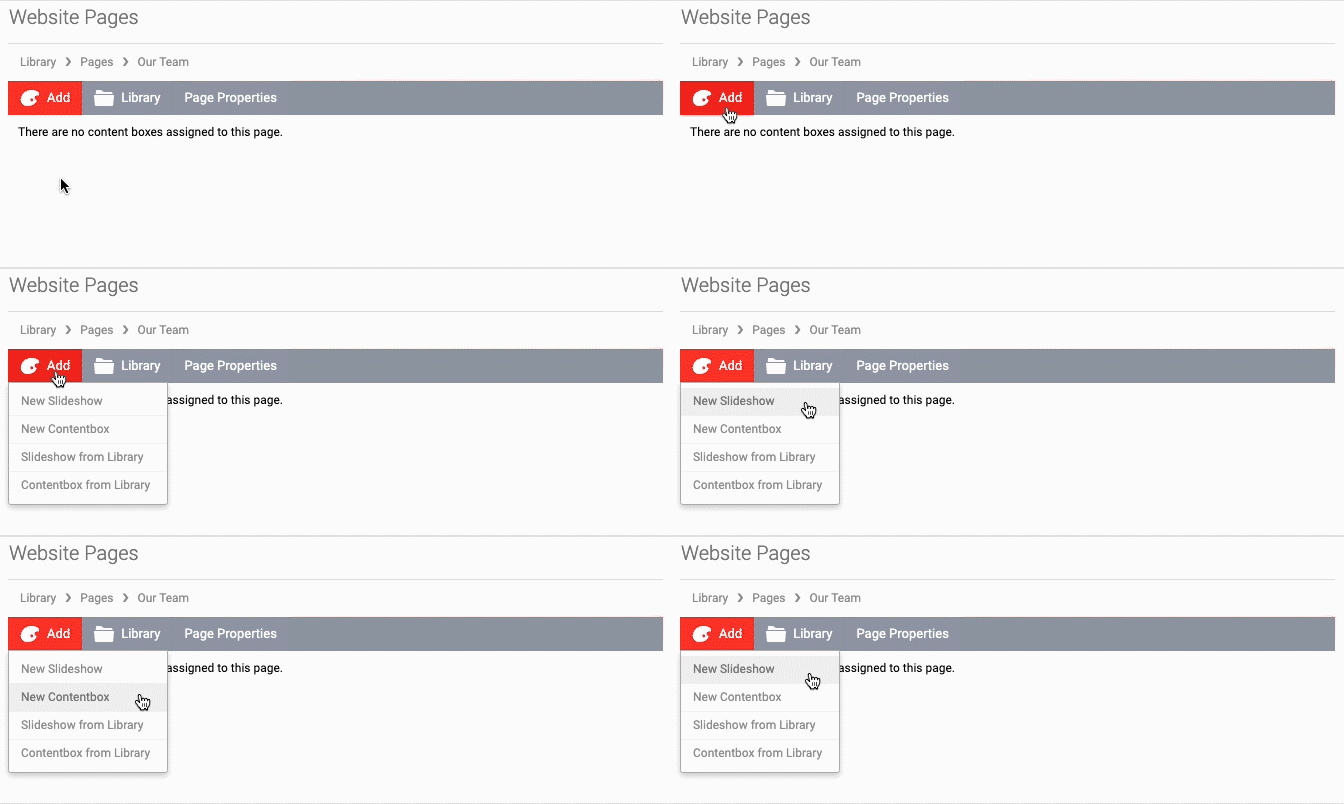
- On the upper left, click on the red Add button.
- Choose to add a Slideshow or Content Box.
|
|
To add a Slideshow or Content Box that already exists, locate it under Add > Slideshow from Library / Contentbox from Library.
The Slideshow consists of one or more slides with images, text and an option to add a button. The Content Box is mainly for text, images, videos, PDF Documents, GIFs, etc. |
